Power made simple, support made local.
At RedEarth, we stand by the quality of our products. Every system comes with up to 10 years of coverage, supported by our dedicated Australian service team. We’re committed to making sure your system delivers reliable performance — and that you always feel supported.
Need help with your RedEarth system?
Trouble shoot common system concerns with the documents below
RedEarth Tech Bulletins
Below is a list of articles addressing some common queries about installing RedEarth systems, please read the article that is relevant to your query (toggle across the tabs for different categories). If you can’t find it, please contact us.
- Important RedEarth warranty information
- For individual system warranty documentation, please visit our Resource Centre
When it comes to generators, choosing the right size is essential. If the generator is too small, it won’t power your loads, and your batteries will run flat. If it’s too large, you’ll be spending more than necessary, and the generator will run at a worse efficiency.
NOTE: RedEarth does not supply generators. This document provides general information on sizing and features of a suitable generator for a RedEarth Battery Energy Storage System (BESS).
RedEarth Product Documentation
BlackMax Australian Made Certificate
BlackMax Brochure
BlackMax Data Sheet
BlackMax Installation Manual
BlackMax Quick Start Guide
BlackMax Warranty
Boomerang brochure
Welcome to your go-to hub for essential RedEarth product information. Explore and download product brochures, manuals (including legacy manuals further down this page) and how-to-guides. Whether you’re a customer, installer, reseller, or simply a renewables enthusiast, this is your one-stop destination for our range of comprehensive and easily accessible resources.
Need a site visit with your RedEarth system?
RedEarth Important Information
Site Visits & Scheduling
Site visits depend on the availability of local installers and are the responsibility of the installer and system owner to arrange. If you require assistance locating a suitably qualified electrician, please let us know and we will be happy to assist. In some cases, a RedEarth employed electrician may be required to attend.
Site Visits and Costs
Site visits performed by Installers on behalf of RedEarth or RedEarth-employed electricians are covered under warranty only if a manufacturing fault is found and confirmed on your RedEarth system.
Faults found on peripherals not supplied or manufactured by RedEarth, including but not limited to generators, solar panels, network/data, switchboards, or building circuitry, are not covered under warranty.
The system owner is liable for all costs and will be invoiced by the Installer or by RedEarth Energy Storage directly.
Where a fault is deemed non-warrantable, and a RedEarth-employed electrician has attended, the following costs will be payable by the system owner to RedEarth Energy Storage:
– Electrician labour rate: $150 per hour
– Travel surcharge: $1.50 per kilometre for travel distances exceeding 50 km from RedEarth premises in Brisbane
– Additional surcharges may apply for incurred costs such as; tolls, parking, or specialised travel requirements (including flights, accommodation, meal allowances, etc. for remote locations)
RedEarth will provide a full site report. Costs and rates are set based on economic and industry factors and are subject to change.
Warranty Coverage – Site Visits
Site visits performed by Installers and/or RedEarth‑employed electricians are covered under warranty only where a manufacturing fault is found and confirmed on your RedEarth system.
Non‑Warrantable Faults
Faults relating to peripherals not supplied or manufactured by RedEarth—including but not limited to generators, solar panels, network/data equipment, switchboards, or building circuitry—are not covered under warranty.
Non‑Warrantable Site Visit Costs
Where a fault is deemed non‑warrantable, the system owner will be liable for all costs and will be invoiced directly by the Installer and/or RedEarth Energy Storage where a RedEarth electrician has attended.
Site Reporting
Installers will provide a full site report following any site visit requested by RedEarth Energy Storage. Site Reports can be submitted here or sent directly to RedEarth Support at support@redearth.energy
Replacement Parts
Replacement components are subject to availability and may require RedEarth to liaise directly with original equipment manufacturers. Timeframes will be provided as soon as possible. All faulty units must be retained for collection by RedEarth.
Warranty & Invoices
Where warranty applies, RedEarth will cover approved site visit and freight costs. Invoices must be submitted to RedEarth for approval using the applicable Case Number as a reference.
Please email to ems+redearth+157+invoice@ems.expense-manager.com
RedEarth reserves the right to reject invoices where warranty coverage is void, expired, or not applicable. Please refer to your system’s warranty documentation for full terms and conditions.
Upgrades & Out‑of‑Warranty Items
RedEarth does not sell directly to the public. For system upgrades, battery expansions, or out‑of‑warranty replacements, please contact an authorised RedEarth installer or licensed solar electrician.
Approved Work Only
All work on a RedEarth system must be carried out by an appropriately licensed and certified electrician. RedEarth is not liable for unauthorised repairs, modifications, or works completed without approval.
RedEarth Legacy Products
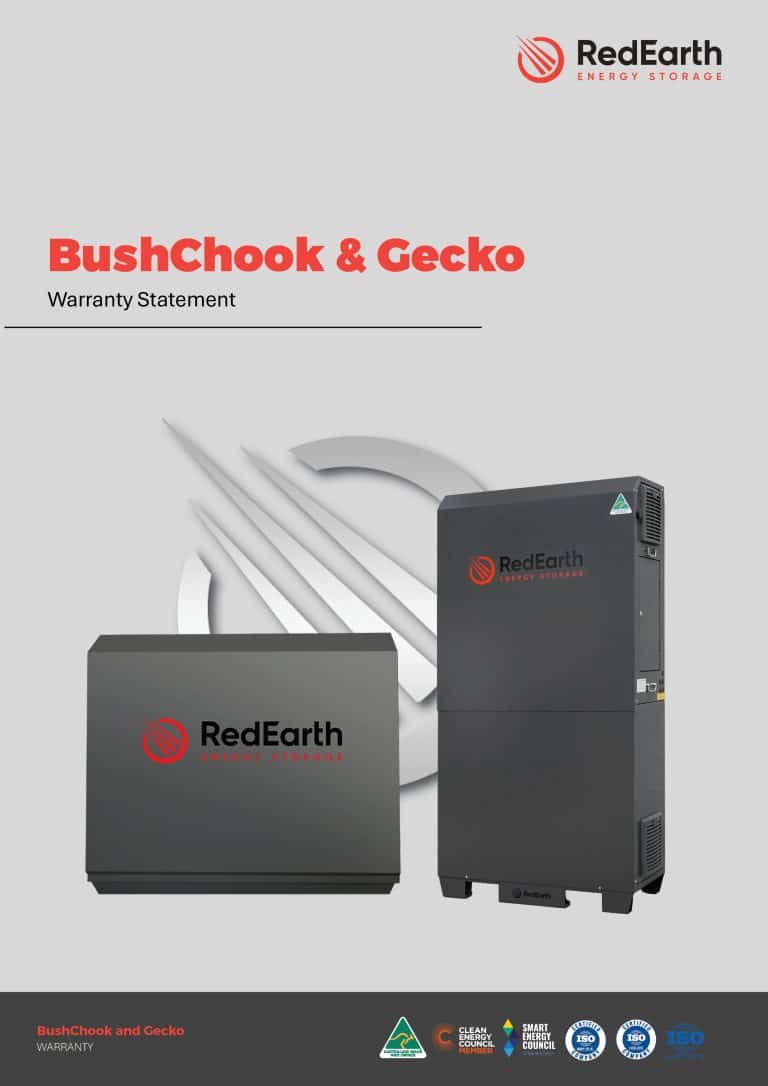
See below for retired systems and batteries, including documentation for BushChook and Gecko systems with Troppo 4841 batteries.
BlackMax legacy documents (for BlackMax systems installed prior to November 2023)
BushChook legacy documents (for BushChook systems installed prior to March 2026, with Troppo 4841 batteries)
Gecko legacy documents (for Gecko systems installed prior to January 2026, with inverter separate to the system)
SunRise Mini
- SunRise Mini and Maxi brochure
- SunRise Mini installation manual (NS)
- SunRise Mini installation manual (MCB)
- SunRise Mini user manual (NS)
- SunRise Mini user manual (MCB)
- SunRise Mini safety data sheet
- SunRise Mini FAQs
SunRise Maxi
- SunRise Maxi installation manual (NS)
- SunRise Maxi installation manual (MCB)
- SunRise Maxi user manual (NS)
- SunRise Maxi user manual (MCB)
- SunRise Maxi safety data sheet
- SunRise Maxi FAQs
SunRise 3-Phase
BlackMax
This bulletin will guide you through the simple steps to turn on and off your BlackMax system for the first time, ensuring a smooth and simple process.
Please see this document for the standard settings and how to access/change them.
Please see this document for instructions on how to reset the monitoring module in your BlackMax system.
Please complete this form if your BlackMax system has experienced a SurePower inverter fail. We are unable to proceed with the claim request without these details.
BlackMax FAQs (for BlackMax systems installed prior to November 2023)
During long periods of cloudy weather, or if supplying electrical loads that exceed the solar input to the system, the battery may become discharged to the point that the inverter will beep and show fault code “04”. If battery is further depleted the unit may stop supplying power.
It is recommended during prolonged (more than 2 days) bad weather and if the battery voltage drops below 50V, that you start the generator and charge the battery
The balance of “energy input” (solar) to “energy output” (connected loads) in the last 24hr period is shown by pushing the down arrow on the Sure Power display until you reach the “dAY” screen. If output exceeds input the battery is in deficit for that day.
This screenshot is displaying PV input last 24hrs = 3.88kWh, Power output last 24hrs= 9.88kWh
This results in a shortfall of 6kWh drawn from the battery.
The Sure Power inverter in the BlackMax system requires a generator with certain output specifications. These specifications are provided by the generator manufacturer. We recommend a minimum size of 6kVA for sufficient margin to charge the batteries and run connected loads. Two wire auto-start capability is desirable to allow generator to automatically charge when batteries are low.
Supported generators should meet or exceed the following specifications:
- Generator waveform THD < 10%.
- Generator Vrms range180 ~ 270Vac
- Generator voltage crest factor (Vpeak/Vrms)<1.6
- Generator peak voltage<380V
- Frequency range 45Hz ~ 63Hz
- Frequency slew rate <0.3Hz/sec
Testing has confirmed the Honda EU22i is able to charge the BlackMax but has limited capacity to run appliances at the same time. The Able KP7K1 can charge the BlackMax and cover substantial connected appliances simultaneously.
- Confirm batteries are being charged by generator (see below):
If the LCD display shows no charging from generator:
- Some generators have a timed start to allow voltage to settle before outputting. It may take around 5 minutes before charging will start. Some auto start generators have a setting that can be changed to allow shorter syncing times.
- Turn eco mode off if this option is available on your generator.
- You may have connected loads that are drawing all the power. Turn off connected loads (lights and small loads are ok) while charging.
- Your generator’s output may be outside the specifications for supported generators.
You can observe the voltage and frequency of the generator input, by scrolling through the LCD display with the up and down buttons until you reach these screens:
Has this occurred when connecting the BlackMax or generator for the first time?
The BlackMax is shipped with an “MEN link” installed. This is an internal connection between the earth bar and neutral bar. All electrical installations are required to have only one of these installed. If an MEN link is already installed in the connected switchboard or the generator, the one or all of the RCDs in the connected equipment will trip. It is advised that a licenced electrician remove the MEN links from the least permanent pieces of the equipment and leave the MEN link in the most permanent piece of equipment. This generally requires the connected switchboard to retain the MEN link, and it to be removed from the BlackMax and generator.
If this has occurred seemingly randomly, and not when connecting a generator, it is likely to be an appliance or wiring fault.
- • If the generator RCD is tripping and no others, (and there is only one MEN link in the whole connected system) there may be a fault in the lead connecting the generator to the BlackMax, or water/insect ingress into the generator or BlackMax sockets. If the connection is not hard wired, try a different lead between the generator and BlackMax. Turn the RCD on to test. If this does not resolve the issue, contact an electrician to diagnose further.
- • If the BlackMax RCD is tripping, and no others (and there is only one MEN link in the whole connected system) disconnect all loads, and generator. Unplug these if they are via leads, switch off the corresponding breaker if they are hardwired. Progressively connect these back to the BlackMax. The fault is then isolated when the RCD trips.
- • If an RCD is tripping in the switchboard (and there is only one MEN link in the whole connected system) there may be a fault in the circuit connected to that RCD.
If this is a lighting circuit, it is likely a fault in wiring, water in light fitting etc requiring a licensed electrician to resolve.
If this is a power circuit supplying socket outlets unplug all appliances connected to this circuit and reset the RCD. If the RCD trips, it is likely a fault in wiring, water in a socket outlet etc requiring a licensed electrician to resolve. If the RCD stays on, plug in each appliance in turn. When the RCD trips this indicates the faulty appliance, causing the trip.
The BlackMax unit will beep to indicate several error warnings. The Sure Power display will display a code to define this error.
Error “04” will occur when the battery is not receiving enough energy inputs to cover outputs and is getting to the bottom of its reserves. See Q: Why is my battery flat?
Error “07” will occur if the BlackMax has been overloaded. The unit can handle 5kW of power draw continuously, and higher for short periods of time.
Error “15” is generally not concerning and indicates low solar input, common around sunrise and sunset.
All electrical work must be completed by a licensed electrician to ensure correct function and to claim STCs (if possible). Panels and configurations must be selected to follow inverter – specifications below:
Max. Input Voltage (VOC) 500VDC
Max. Input Current (IMP) 18ADC
Short Circuit Current (ISC) 22.5ADC
Max PV connected power 5000W
Typical array configurations are 8 panels in series or two strings of 8 in parallel, but this depends on PV panel specifications.
After a long period of discharge without sufficient charging the battery BMS will switch off to prevent damage to the batteries. To rectify, when solar or generator charging is available, turn off the battery breakers for 10 minutes, then switch them back on. They should have recovered enough to reconnect the batteries to the system and begin charging. If the screens do not light up (or blue lights on older batteries), they may have discharged too low to recover normally. Contact your installer and RedEarth to obtain a trickle charger.
Accordion Content
You can observe the generator and/or solar input current, by scrolling through the LCD display with the up and down buttons until you reach this screen:
Lodge a support request
Fill out our technical support form 📥
Need assistance with your RedEarth system? No worries.
Please fill out this form if your RedEarth system has encountered technical issues, so we can address your needs promptly and efficiently.
Book an installation support session with our team (scroll) 📲
If you have booked to install a RedEarth system or have scheduled a customer visit, and you think our support availability would be useful, then book one of our technicians to be available for your call while on site.
Find the staff member’s name below and book the desired date and time.
Gecko
How to Guides and Tech Bulletins. Videos?
Gecko FAQs
abc
BushChook
How to Guides and Tech Bulletins. Videos?
BushChook FAQs
abc


